


Artplay - AI Photo & Video
4.5388.00 Reviews
App Specs
- Version
- 1.8.3
- Updated On
- License
- Free
- Downloads
- 1,000,000+
- Developer
- Hideaway Technology Limited
- Categories
- Photography
- Platform
- Android
Screenshots


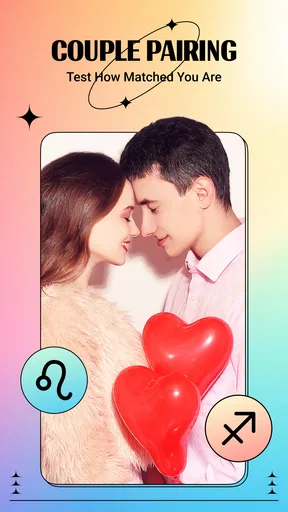
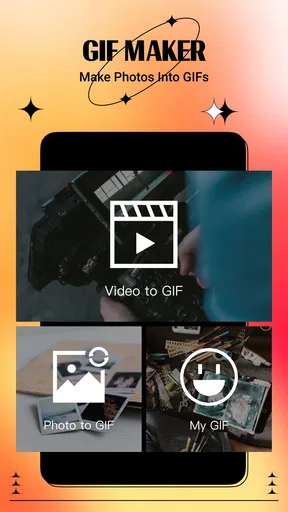
 Analysis by AppCompare
I often reach for a playful photo effect when I want to make a shared album feel less routine, and that is the kind of use that makes Artplay interesting to me. It is a photography app from Hideaway Technology Limited, built around AI-assisted looks for photos and videos rather than the careful, manual editing workflow I would use for a polished portfolio image. That distinction matters in a household: it can be a quick creative activity for someone to try, but it should not be mistaken for a shared family gallery or a full photo-management tool.
A quick creative turn with a shared phone
Imagine a quiet afternoon when someone finds a funny pet portrait in the camera roll and wants to see it in a different style. Artplay is suited to that short, low-pressure experiment: pick an image, try a visual treatment, and decide whether the result is amusing or worth keeping. The appeal is the transformation itself, not a complicated editing project or a promise that every output will look professionally finished.
On a device used by more than one person, I would make the handoff deliberate. Agree on which photo is being opened, let the person using the app make the creative choice, and check the result before sharing it elsewhere. That simple routine is useful because a photo app can involve personal pictures even when the activity feels like a game. I would avoid handing over an unlocked phone with the entire camera roll open if the user is not meant to browse everything on it.
Keep photo access and accounts in mind
Artplay’s creative premise works best when each person understands whose image they are editing and where the finished result is going. If you are helping a child or another relative, choose a picture together rather than letting the session drift through private portraits, school images, or screenshots. This is a practical boundary, not a claim about special family controls: I would not assume the app provides separate household profiles or a way to restrict what another person can open.
It is also worth deciding who will handle any account or purchase prompts before passing the phone around. The app is free to download, while optional in-app purchases are listed from $6.99 to $84.99 per item. I would keep purchase decisions with the device owner and make sure a younger user knows to ask before confirming anything. That avoids turning a casual filter experiment into an unexpected spending decision.
Good moments for creative coordination
Artplay makes more sense as a shared activity when people take turns and compare results than when several people are trying to manage one collection together. For example, a family could choose one ordinary travel photo, let each person try a different treatment, and then agree on which version belongs in a group chat. This gives everyone a small creative role while keeping the original image as the reference point.
For a smoother session, I would select a few suitable pictures beforehand and avoid using anything that needs to stay untouched for work, school, or records. AI-styled edits are best treated as playful alternatives, not replacements for the original. Keeping the unedited photo available also makes it easier to try another look later without having to reconstruct the starting point.
Worth Reading Before You Choose

Flipboard Shows What News Apps Must Do Beyond the Feed

Switching to Android Auto Means Rethinking Your Driving Routine

Google Calendar Makes a Crowded Week Easier to Manage

Ludo King Makes the Most of the Minutes Between Plans

Baby Panda World Brings Quick Play to Modern Phones, but Its Game Library Feels Busy

ESPN’s Live Game View Makes Following Close Games Easier
Age context and a sensible trust check
The app is rated for Everyone, which makes its intended audience broad, but an age label does not replace an adult’s judgment about photos, sharing, or purchases. I would show a younger user how to pause before posting an image and explain that a fun visual effect does not make a personal picture public-safe. This is especially relevant on a shared device, where the person editing a picture may not be the person whose account or social profile is used to share it.
Artplay has an average rating of 4.5 from around 17,000 ratings, and it has passed one million installs. Those figures suggest that plenty of people have tried it, but they do not tell me whether a particular filter will suit your taste or how comfortable your household will feel using it. I would judge it on a small, non-sensitive image first and decide from there.
Ever stumbled upon an app that feels like a treasure trove for your creative side? Well, that's exactly what I experienced when I came across Artplay - AI Photo & Video. Whether you're a casual snapper or a seasoned content creator, this app promises to spice up your photos and videos with the magic of AI. Let me walk you through my journey with this nifty tool.
First Impressions and Interface
Right from the get-go, Artplay - AI Photo & Video caught my eye with its sleek and intuitive design. It’s like the developers knew exactly what we’d want at our fingertips. The layout is straightforward, making it super easy to navigate even if you're not the most tech-savvy person around. Within minutes, I was diving into its features without feeling overwhelmed or lost.
A Dive into Features
Now, let’s talk features because, honestly, this is where Artplay shines. Picture this: an app that transforms your standard photos into mesmerizing pieces of art with just a tap. Sounds like a dream, right? Well, it’s reality with Artplay.
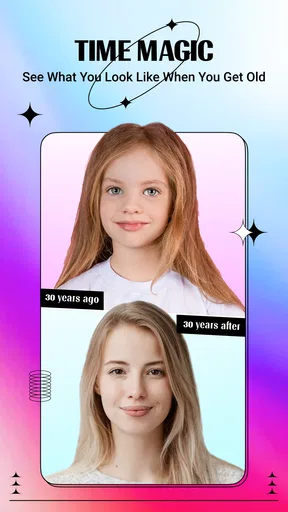
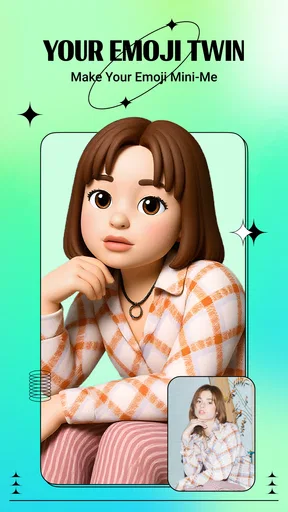
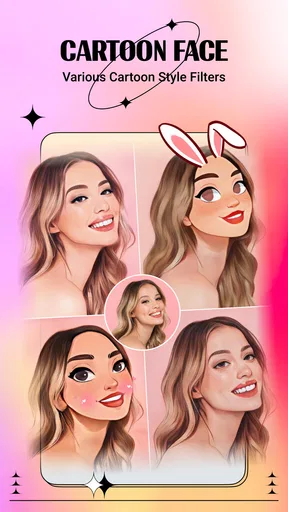
AI Filters Galore: The app includes a variety of AI-powered filters that can give your photos an artistic twist. From turning your selfies into oil paintings to giving your landscapes a watercolor vibe, there’s something here for every creative itch. Each filter feels unique and adds a different flavor to your visuals.
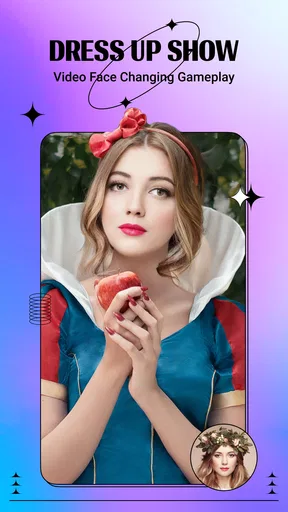
Video Magic: Not just limited to photos, Artplay extends its magic to videos. I was amazed at how effortlessly the app applied filters and transitions, making my mundane clips look like they were edited by a pro. It’s like having a mini production studio in your pocket!
Customization Options: If you’re someone who likes to tweak things to perfection, Artplay lets you adjust intensity levels and blend styles. This flexibility ensures your creations are not just cookie-cutter results but a reflection of your unique style.
Performance and Ease of Use
Performance-wise, the app is a gem. It runs smoothly without any noticeable lags, even on my not-so-new phone. The AI processing is impressively quick, which means you won’t be staring at the loading screen forever. And, let's be honest, who has the patience for that?
Installation was a breeze, and the app didn’t demand a ton of storage, which is always a plus. It’s clear the developers put a lot of thought into optimizing the app for various devices, ensuring a seamless experience across the board.
What it is—and what it should not replace
I find Artplay most useful when I have one image in mind and want to explore several artistic directions without learning a full editing suite. Its appeal is immediate visual experimentation: filters and adjustable effects invite you to see how a familiar photo changes when its style changes. That makes it a different kind of tool from a standard camera app, which is mainly for capturing images, and from a conventional editor, where cropping, exposure, color correction, and precise retouching may matter more than a dramatic AI look.
If I were preparing a product photo, correcting a dim indoor shot, or building a consistent set of images for a work project, I would start with a traditional editor instead. Artplay’s creative treatments can be expressive, but a strong effect is not the same as accurate retouching or dependable color control. For a casual post, a profile picture experiment, or a visual joke among friends, that trade-off can be exactly the point.
A practical way to test the results
My advice is to begin with a clear, well-lit image where the subject is easy to recognize. Try one treatment at a time, then adjust its intensity rather than stacking several strong looks just because they are available. This helps you see whether the style is improving the photo or merely obscuring it. Portraits with busy backgrounds can be less predictable than a simple subject against a plain setting, so I would test on a copy or an image I can comfortably recreate before using an important picture.
For videos, I would keep the first experiment short and uncomplicated. A brief clip makes it easier to judge whether the applied effect supports the movement and mood, rather than distracting from them. If the clip is meant to document something important, I would preserve the ordinary original and treat the stylized version as an extra. That is a useful habit with any creative transformation, especially when the edited result may be shared outside the app.
Sharing with a little intention
One of the neatest aspects of Artplay is its community aspect. The app allows you to share your creations with other users, and trust me, it’s inspiring to see the diverse range of artistic expressions. Plus, you can easily share your masterpieces on social media directly from the app, which is perfect for impressing your followers with your newfound artistic prowess.
That convenience is best used with a quick review before posting. I would check that the chosen image does not include a private detail in the background, and that everyone pictured is comfortable with the result being shared. A stylized image can feel less personal than the original, but the people and information in it are still there. For a household, the person who edits a photo and the person who approves its publication may be different, so it helps to make that handoff explicit.
It’s also worth mentioning that Artplay encourages you to explore and experiment with its wide range of tools, fostering a sense of creativity and exploration. It’s like having a playground where the only limit is your imagination.
Who will enjoy it, and who may prefer another tool
I would recommend Artplay to someone who likes quick visual surprises, wants to make ordinary photos feel more personal, or enjoys trying a few looks before sharing a post. It can also work well as a short shared-device activity when an adult stays involved and the photo choice is agreed in advance. The free download makes it easy to consider, though optional purchases mean I would still set a clear boundary around buying anything.
I would skip it if your main need is precise editing, a predictable professional workflow, or a way to organize and protect a household photo library. I would also avoid treating its sharing features as a substitute for deciding who can see a picture. Artplay is strongest as a creative layer added to a photo or clip; it is less compelling when the task is careful correction, long-form video editing, or managing images across several people.
Version and expectations over time
The current version is 1.8.1, and it runs on Android 5.0 or later. The app first appeared on February 6, 2022, so it is not a brand-new experiment, but I still recommend checking that your device can run it before planning a shared session. As with any AI-focused creative app, results and responsiveness can depend on the image, the phone, and the effect being tried; I would not assume every photo will transform equally well.
That is why I treat the first use as a small test rather than a commitment to move my whole photo routine into one app. Pick a picture that is easy to replace, see whether the available styles suit your taste, and then decide whether the workflow earns a place in your regular editing habits. It is a more useful test than judging the app by a single dramatic example.
Wrapping Up
So, is Artplay - AI Photo & Video worth a spot on your home screen? Absolutely! It’s not just an app; it’s a gateway to unleashing your creativity with minimal effort. Whether you’re looking to jazz up your social media feed or simply want to explore the world of digital art, Artplay has got you covered.
In a world where content is king, having tools like Artplay at our disposal is a game-changer. It’s rare to find an app that strikes a balance between functionality and fun, but Artplay manages to do just that. Give it a try, and who knows? You might just discover a hidden artist within you.
My household verdict
For me, Artplay is best thought of as a light creative activity that can fit into a shared evening or a quick break, provided the device owner keeps control of account and purchase decisions. Its strongest household use is taking one agreed-upon photo and seeing how different styles change its mood. That keeps the session collaborative without pretending the app is designed to coordinate a family library.
I would install it for playful edits and casual sharing, but I would keep important originals elsewhere and choose carefully what gets posted. If your household values quick experimentation more than precision, it is an enjoyable option; if privacy boundaries, detailed corrections, or shared photo organization are the priority, a more focused editor or gallery workflow will serve you better. My recommendation is a cautious, low-stakes first try with a non-sensitive picture, then keep it only if the results make you want to create again.
Pros
- Intuitive user interface for easy navigation.
- High-quality AI filters enhance photos.
- Regular updates with new features.
- Supports both photo and video editing.
- Lightweight app with quick performance.
Cons
- Limited free version features.
- Occasional ads can be intrusive.
- Requires internet for full functionality.
- Some filters need in-app purchases.
- Can drain battery with prolonged use.
FAQs for Artplay - AI Photo & Video
What is Artplay - AI Photo & Video and what can it do?
Artplay - AI Photo & Video is an innovative app that utilizes artificial intelligence to enhance your photos and videos with artistic filters, effects, and tools. It offers a wide range of features for both amateur and professional creators to transform their multimedia content into visually stunning works of art, making it ideal for social media posts and more.
Is Artplay - AI Photo & Video free to use?
Artplay offers a free version with basic features, allowing users to explore the app's core functionalities. However, it also includes a premium subscription that unlocks additional advanced tools, filters, and effects. This subscription model ensures that users can access exclusive content and updates while supporting the app's development.
What platforms is Artplay - AI Photo & Video available on?
Artplay - AI Photo & Video is available for both Android and iOS devices. This cross-platform availability ensures that users can enjoy its features regardless of their preferred operating system. The app can be downloaded from the Google Play Store for Android devices and the Apple App Store for iOS devices.
How user-friendly is Artplay - AI Photo & Video?
Artplay is designed with user-friendliness in mind, featuring an intuitive interface that makes it easy for anyone to navigate. Whether you're a beginner or a seasoned creator, the app's layout and tutorials guide you through the editing process, allowing you to apply artistic effects effortlessly and achieve professional results.
Does Artplay - AI Photo & Video require an internet connection to function?
While some features of Artplay can be used offline, such as basic editing tools, many of its AI-driven features and updates require an internet connection. This ensures that users receive the latest filters and effects, as well as the best performance from the app's AI capabilities, keeping the content fresh and engaging.


